What is Caching? Types of Caching Explained in Simple Words
Caching is one of the most important concepts in system design that helps applications become faster and more efficient. Whether you are using a website, mobile app, or backend system, caching plays a major role in improving performance.
In simple terms, caching means storing frequently used data in a temporary storage so that it can be accessed quickly instead of fetching it again and again from the original source.
What is Caching?
Caching is the process of storing copies of data in a high-speed storage layer so future requests for that data can be served faster.
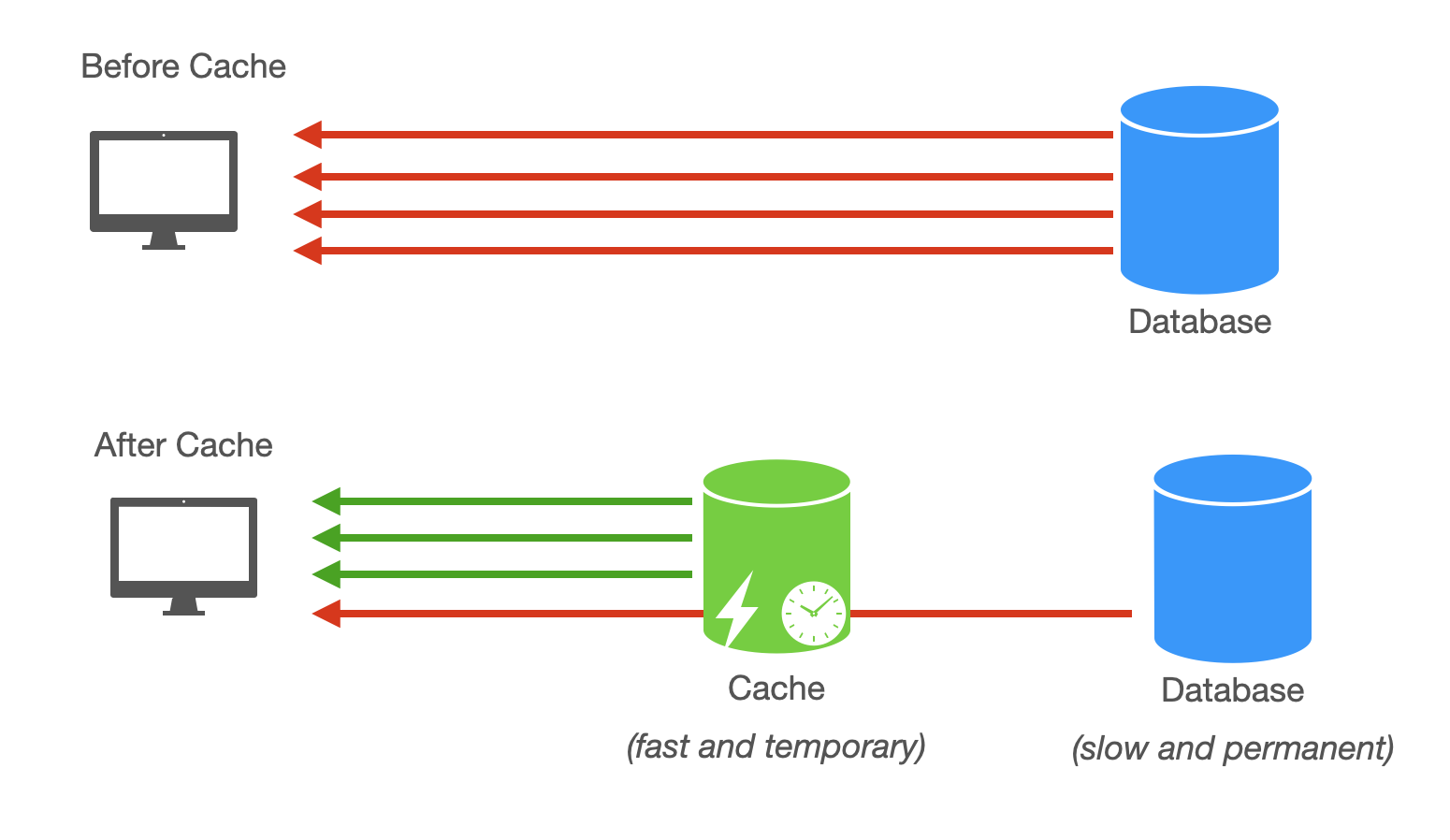
Instead of querying a database or server every time, the system first checks if the data is available in the cache. If it is, the data is returned instantly. If not, it is fetched from the main source and then stored in the cache for future use.
Simple Example
Imagine you search for your profile on an app:
- First time → Data comes from database (slow)
- Next time → Data comes from cache (fast)
This reduces load on the database and improves speed.
Why is Caching Important?
- Faster Response Time: Data is served quickly
- Reduced Server Load: Fewer database queries
- Improved User Experience: Faster apps
- Better Scalability: Handles more users efficiently
Types of Caching
1. Browser Caching
Browser caching stores static files like images, CSS, and JavaScript in the user’s browser.
When you revisit a website, these files are loaded from your local browser instead of downloading again.

- Example: Website loads faster on second visit
2. Server-Side Caching
Server caching stores frequently requested data on the server to avoid repeated processing.
- Example: API responses stored in memory
Popular tools include Redis and Memcached.
3. Database Caching
Database caching stores query results so the database does not need to execute the same query repeatedly.
- Example: Frequently accessed user data
4. CDN Caching
CDN (Content Delivery Network) caching stores content in servers located in different geographical locations.
This ensures users get data from the nearest server, reducing latency.
- Example: Images and videos loaded faster globally
5. Application-Level Caching
Caching implemented inside application code to store computed results or objects.
- Example: Storing processed data to avoid recalculation
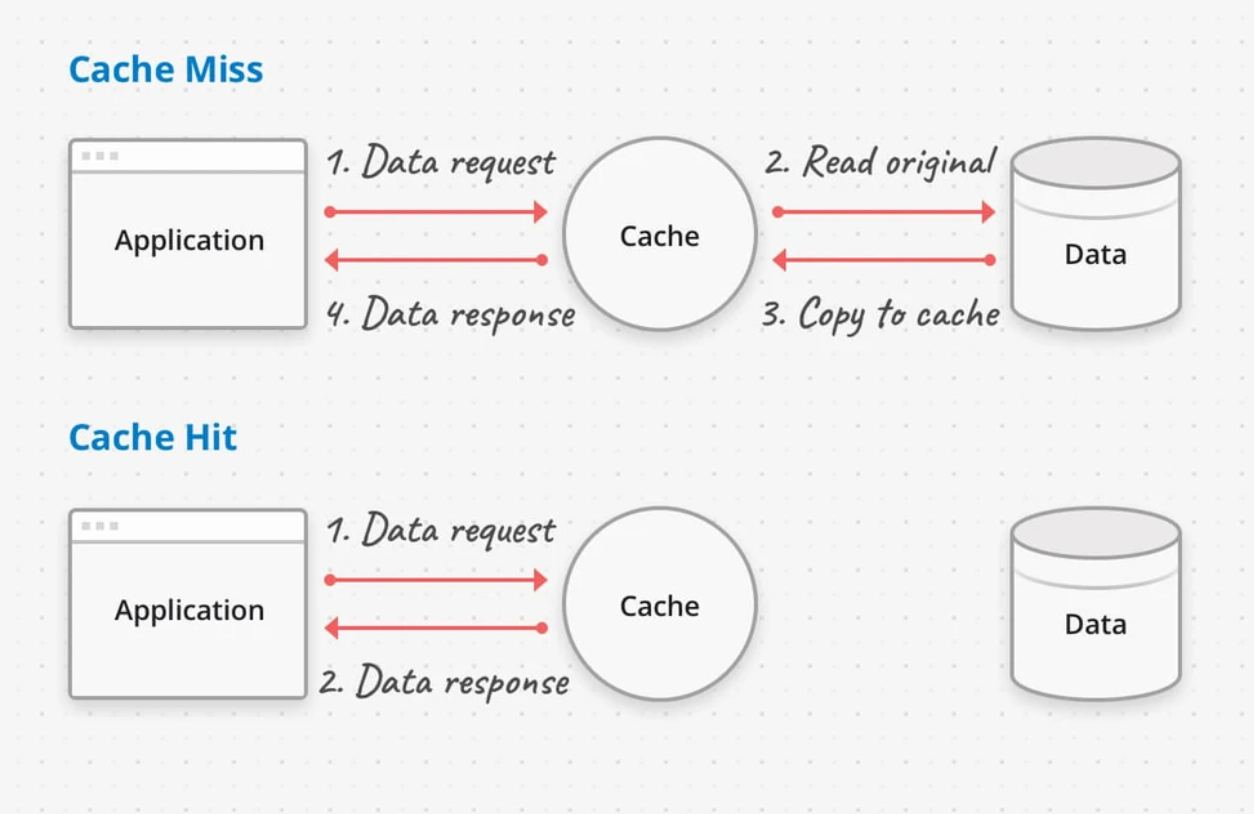
Cache Hit vs Cache Miss
- Cache Hit: Data found in cache (fast)
- Cache Miss: Data not found → fetched from database (slow)
Common Caching Strategies
1. Cache Aside (Lazy Loading)
Data is loaded into cache only when requested.
2. Write Through
Data is written to cache and database at the same time.
3. Write Back
Data is written to cache first, then later updated in database.
Advantages of Caching
- Improves performance significantly
- Reduces database load
- Enhances scalability
- Better user experience
Disadvantages of Caching
- Data inconsistency issues
- Cache invalidation is complex
- Extra memory usage
Final Thoughts
Caching is a powerful technique that improves system performance and scalability. It reduces load on servers and databases while providing faster responses to users.
Understanding different types of caching and when to use them is essential for building efficient and scalable applications.